GET STARTED
Getting started
First open Help → Initial Setup Guide and work through the steps.
Help → Initial Setup Guide
Open this guide after launch. Its seven starting topics cover station details, model, CI-V/CAT, COM, Audio IN/OUT, connection test/connection and macros. Follow each explanation.
Screenshot taken in Ver0.78
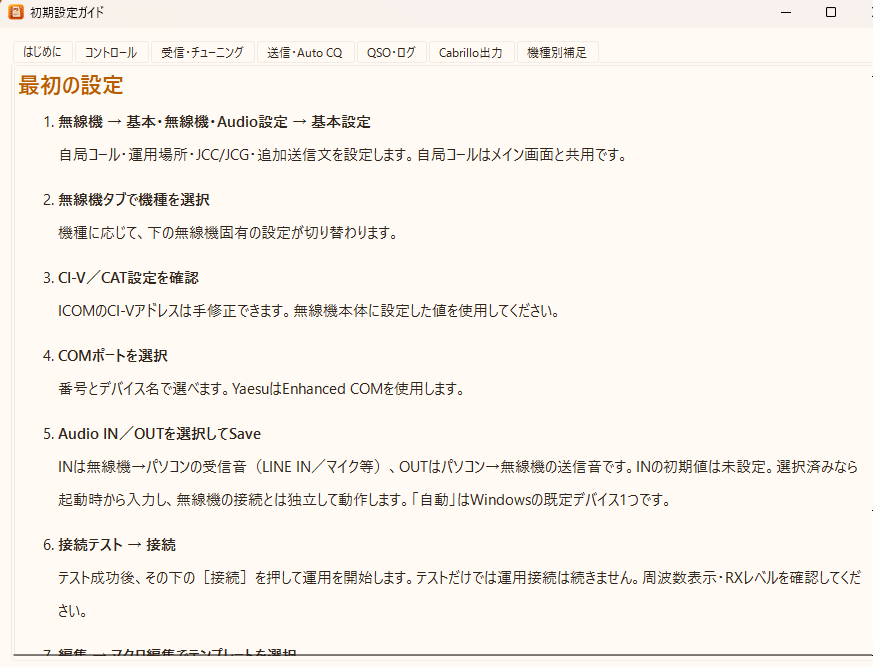
Top tabs also explain controls, reception and tuning.
Extract ZIP and launch
Download page: get the current ZIP and extract it to a dedicated writable folder. psrtty.exe . A launch warning appears if settings/log folders are not writable.
Set station, radio and audio
In Radio → Basic / Radio / Audio settings, set callsign, model, CI-V/CAT, COM, receive Audio IN and transmit Audio OUT, then Save. Audio IN starts unset. A successful test still requires Connect for operation. Check radio settings too.Radio selection list →
Align the receive position
Align MARK/SPACE using clicks, dragging or AUTO TUNE; recheck peaks and text afterward. Adjust display gain so peaks reach or slightly exceed the ochre horizontal line. This is not a decode/SQ threshold.
Use Control
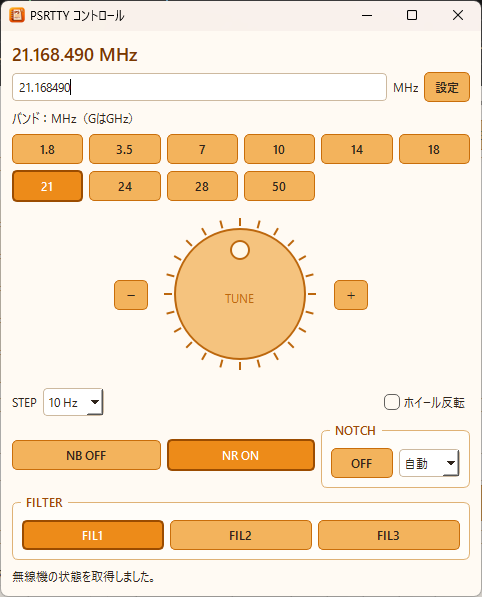
Open Control at the top. It handles radio frequency, band, jog, STEP and supported NB/NR/NOTCH/FILTER. Availability varies. Spectrum lines tune audio, while radio frequency is changed here.
Screenshot taken in Ver0.78
View the cross scope
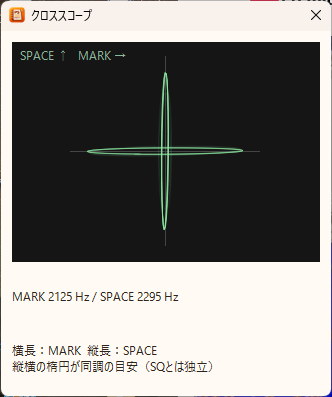
Toggle Cross Scope at the top. Thin horizontal MARK and vertical SPACE ellipses indicate tuning. Latest/previous traces overlap and fade within about 0.7 seconds; trails clear when tuning changes, audio stops or the window is hidden.
This audio-derived aid can show noise traces and is independent of SQ, decoding and display gain. Initially off. Ver0.85 also shows C tuning; real-reception accuracy was still being checked. Image: Ver0.83.
Cross scope (Ver0.83)
Transmit macros or manually
Use F1–F9 or manual TX. In Edit → Macro editor, select a template, Apply then Save. Check SENT and Fixed; Cancel discards changes. Auto CQ repeats F1 and needs a radio connection. STOP or Esc stops transmission.
Log the QSO
Verify CALL, RST and exchange, then Add to log. With auto-log enabled, successful TU 73/TU73 and an existing CALL trigger logging. Display/manual entry use JST; ADIF time and monthly files use UTC.
Backup and updates
Edit → Backup settings enables exit/QSO-count backups; Backup now is manual. Update via Help → PSRTTY update using the release ZIP, not a development PATCH ZIP.