
Eight receive presets
144.660 MHz is the default. Select a preset in the management page, save and restart to apply it. Every preset uses 1200 bps AFSK.
AKIHABARA-GIKEN / APRS
Receive APRS with XIAO ESP32C3 and DRA818V and forward it to APRS-IS over Wi-Fi, without an always-on PC. A receive-only 1200 bps AFSK iGate. v1.2 adds eight frequency presets and Japanese/English management pages.
Build resources ↓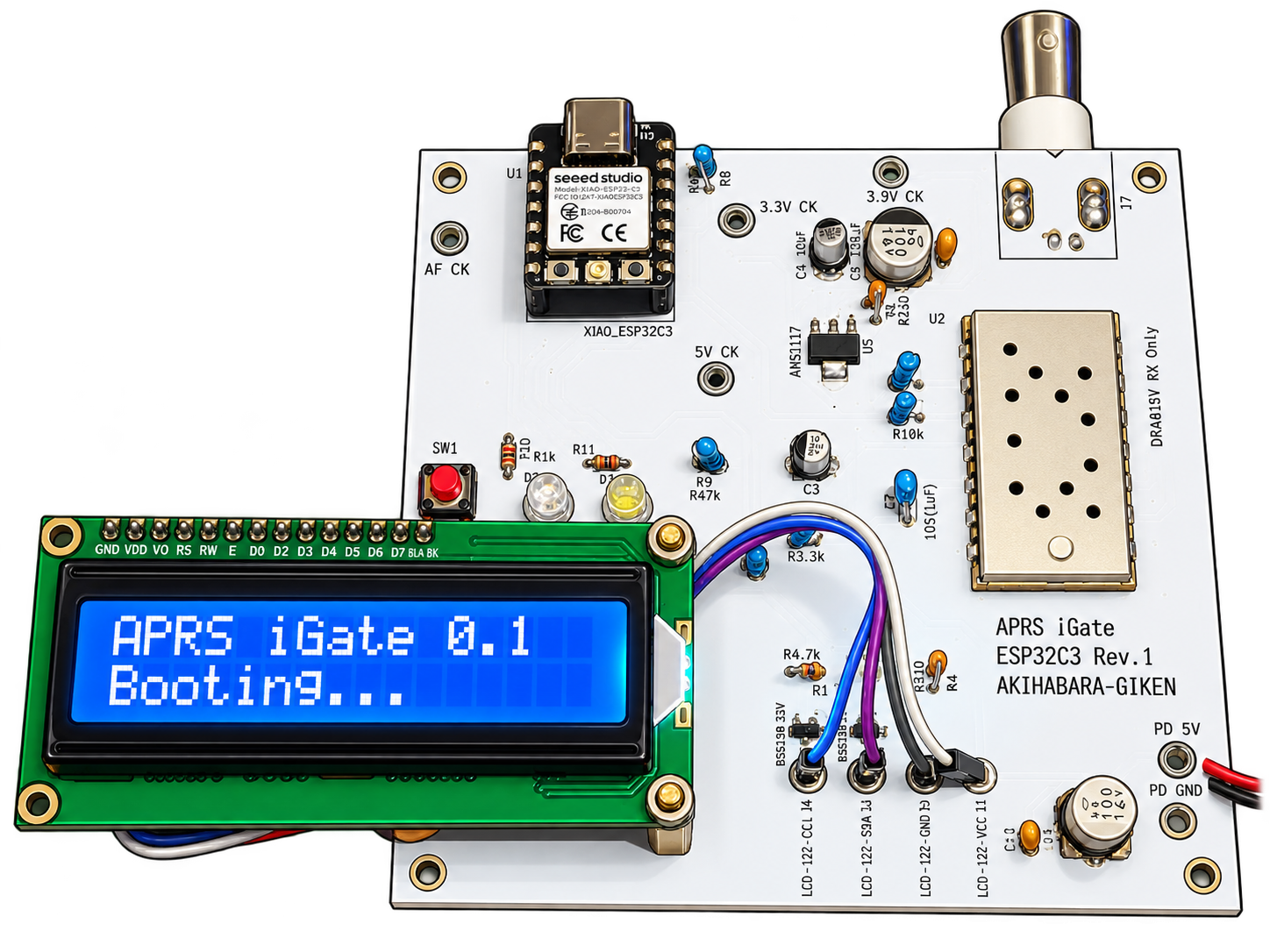
XIAO ESP32C3 demodulates Bell 202 AFSK at 1200 bps and forwards AX.25 packets to APRS-IS over Wi-Fi. No PC is needed for normal operation. A 1602 LCD and web interface show connection and reception status.
AFSK 1200 bps → DRA818V → ESP32C3 → Wi-Fi → APRS-IS
144.660 MHz is the default. Select a preset in the management page, save and restart to apply it. Every preset uses 1200 bps AFSK.
ESP32C3 processes received AX.25 packets and forwards them to authenticated APRS-IS. No RF transmission, digipeating or Internet-to-RF forwarding.
Japanese is the default. Switch management, audio monitor, diagnostics, logs and OTA pages with Japanese / English. No restart is needed for language changes.
Check the level meter, five-second peak, ADC waveform and 1200/2200 Hz values. Capture changes in reception and export diagnostic CSV records.
Web OTA supports retry after connection loss and conditional resume. View/download device logs and detect/recover stalled ADC capture.
Enable position reporting with coordinates to send an Internet beacon every 30 minutes. The 1602 LCD lights for about 24 seconds every 15 minutes, or 60 seconds after a short press.
| MCU | Seeed Studio XIAO ESP32C3 |
|---|---|
| Receiver module | DRA818V |
| Frequency / signal | 8 presets / Bell 202 AFSK 1200 bps / AX.25 |
| Network | 2.4 GHz Wi-Fi |
| Display | 1602A LCD + PCF8574 I²C |
| Power | USB 5 V |
Default: 144.660 MHz (JA). Region labels are examples. All presets use Bell 202 AFSK at 1200 bps. Japan’s 144.640 MHz is generally used for 9600 bps; this device does not decode 9600 bps.
WEB MANAGEMENT / v1.2
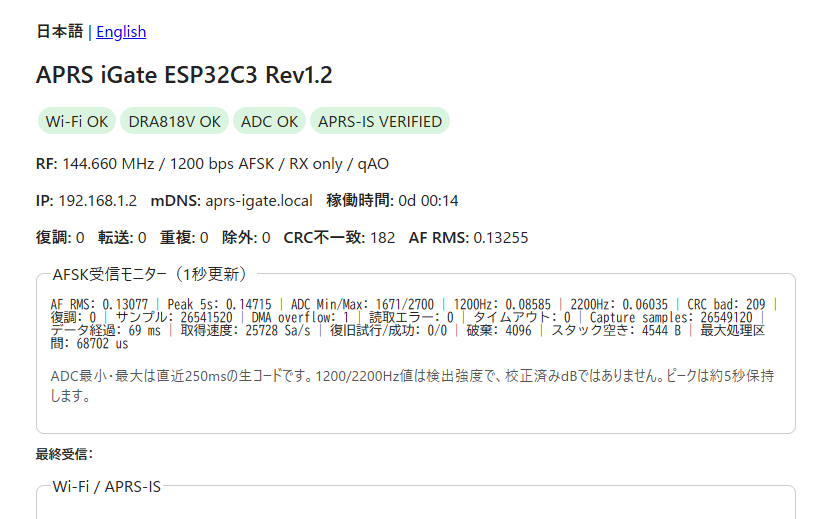
Use a PC or phone on the same LAN. These are Japanese v1.2 screen examples; the device interface supports Japanese and English.
Check Wi-Fi, DRA818V, ADC and APRS-IS status, selected frequency, uptime and decoded/forwarded/duplicate counts. Configure Wi-Fi, station details, receive frequency, position beacons and the OTA password.
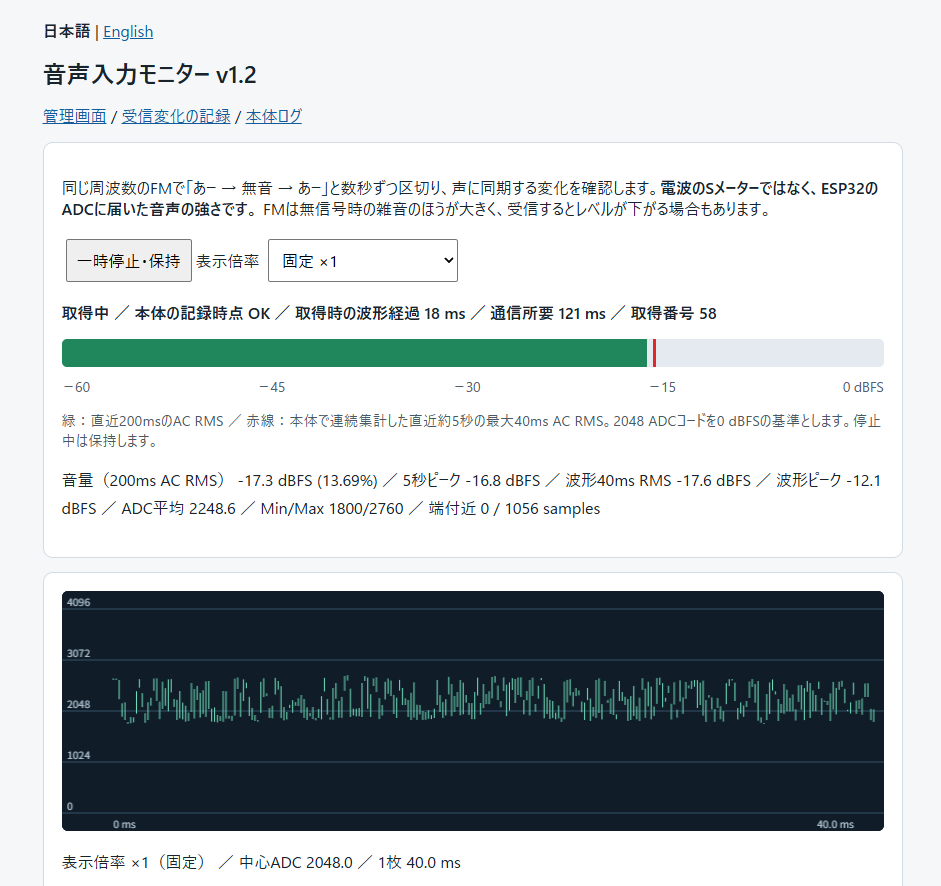
The green bar is approximately 200 ms AC RMS; the red line is the largest 40 ms AC RMS in about five seconds. The waveform shows about 40 ms, with zoom and pause controls. This measures audio reaching the ADC, not RF S-units. FM noise without a signal may be louder.
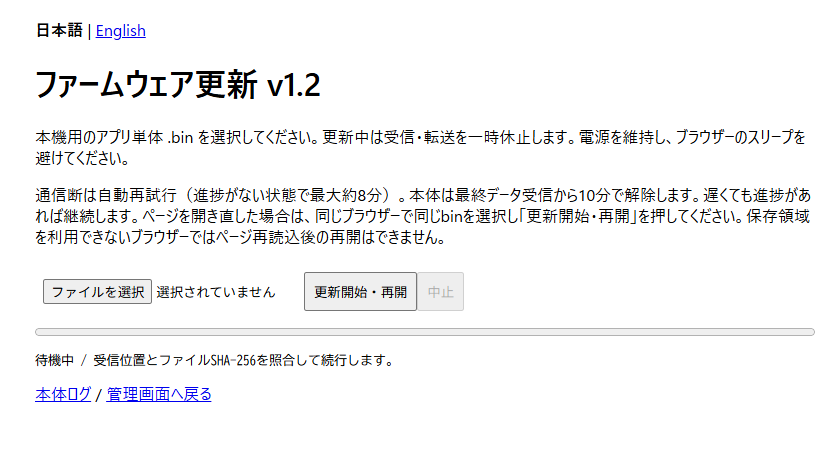
Select the application-only .bin for this device and start/resume the update. Progress and received position are checked; connection losses trigger retries. Reopening can resume with the same browser, URL and file while the device session remains active.
View/download boot, connection, ADC and OTA events. Up to 4 KB is kept in RAM, overwriting oldest lines. After NTP sync, logs show JST and elapsed time; before sync they show UNSYNC. Save logs before restarting or removing power.
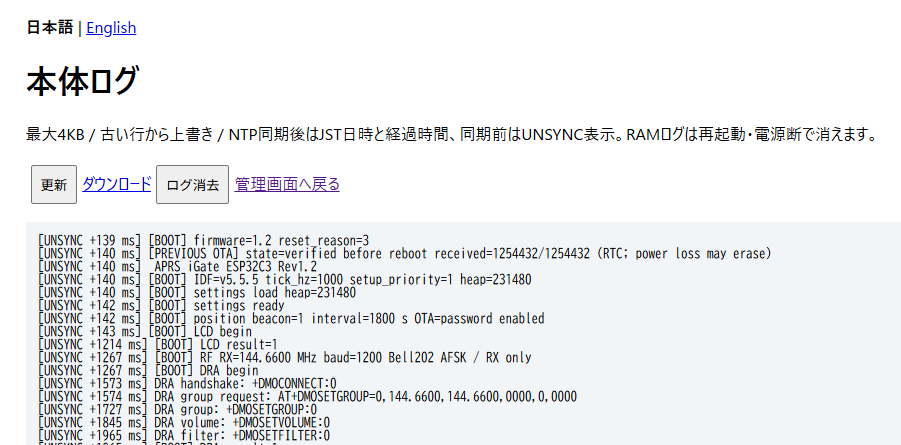
RX diagnostics captures changes in audio, tones and decoder/ADC counters in up to four events, with stop, manual capture and CSV export. It is a separate RAM record, not audio recording. Missing ADC data triggers a limited number of automatic recovery attempts; manual recovery is also available.
First installation is by USB. Devices already running v0.9 or later can use Web OTA with the v1.2 application-only .bin. Do not upload ZIP, bootloader, partitions or merged images. Reception/forwarding pauses during updates: keep power connected and prevent browser sleep.
 Source, changelogs and tests (folder) ↗
Frequency changes apply after saving and restarting. Language switches immediately, but unsaved form input is lost, so save first. Grid is not used as the beacon coordinates.
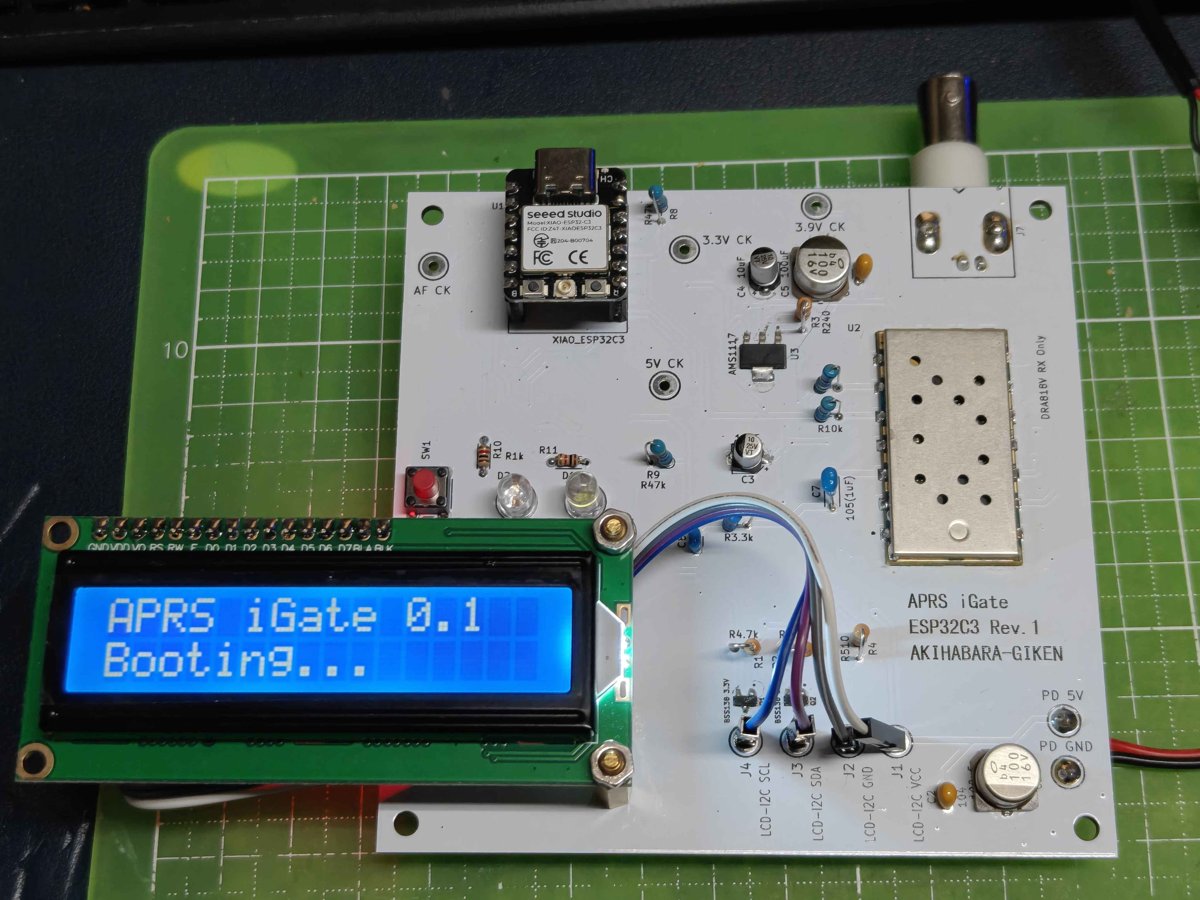
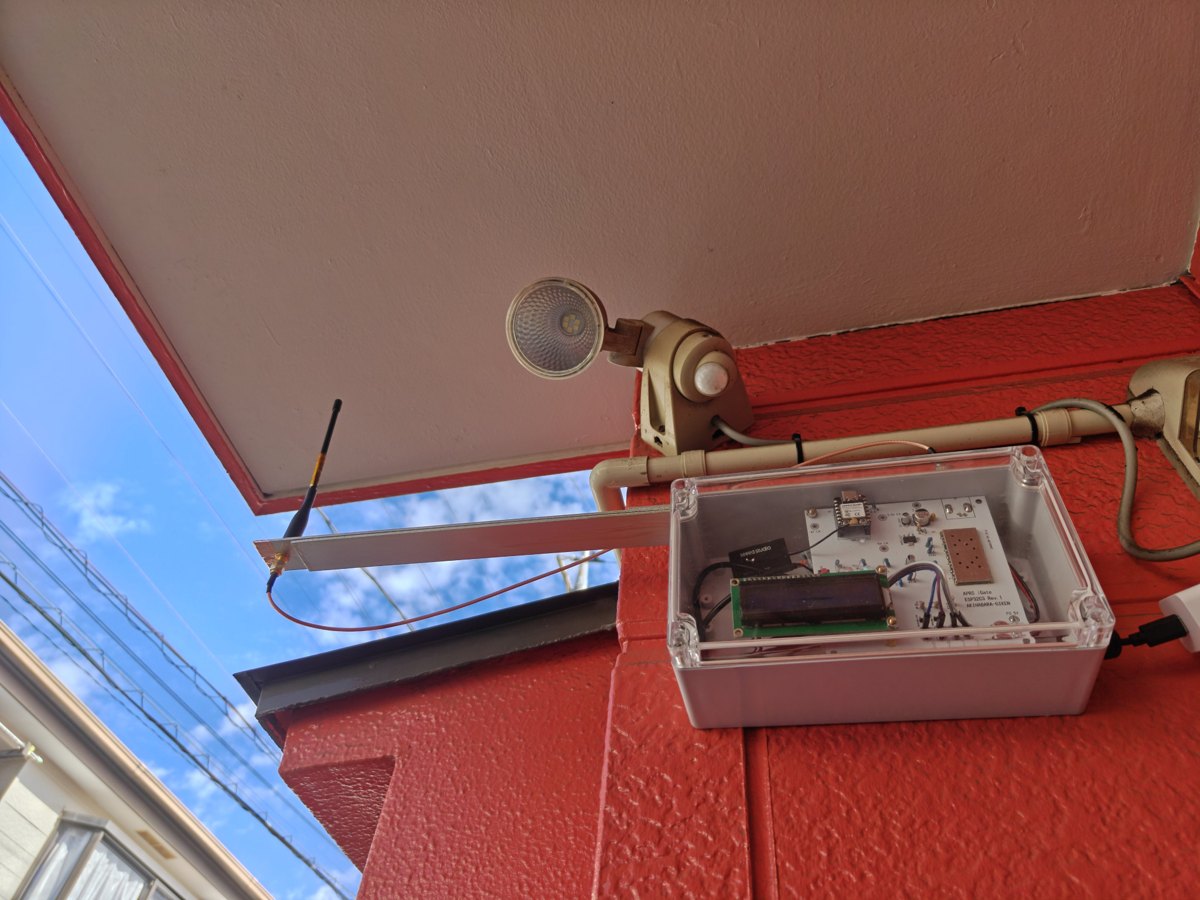
CIRCUIT / PDF
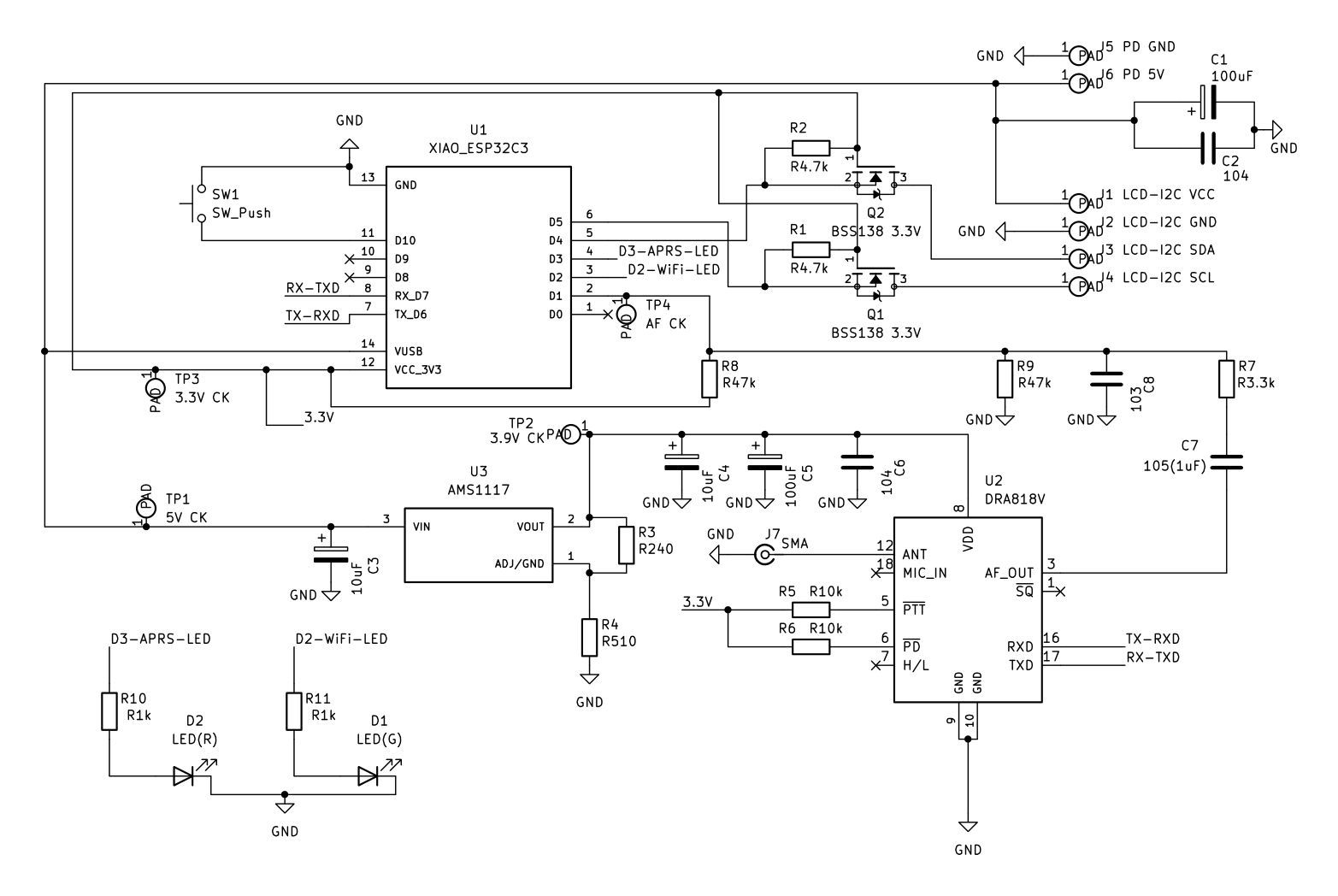
View the complete circuit in the PDF. Click the preview to open the PDF and zoom in on components and wiring.
GITHUB / DOCUMENTS
Choose guides in the PDF folder and source, changelogs and test records in the ESP32C3 folder. Use the documents matching your firmware version.
View project on GitHub ↗Setup and operation guides (PDF folder) ↗Circuit documentation (PDF) ↗Source, changelogs and tests (folder) ↗License ↗v1.2 (2026-11-02) adds eight receive presets and Japanese/English management pages. Hardware tests with v0.12 confirmed reception and decoding of 1200 bps test packets, APRS-IS forwarding and an aprs.fi position display. v1.2 was built and host-tested; reception on each preset and long-term stability remain under evaluation.
Personal learning, research and amateur-radio building, execution and modification are permitted. Commercial use, redistribution and publication or distribution of modifications require prior permission. See the full license.